
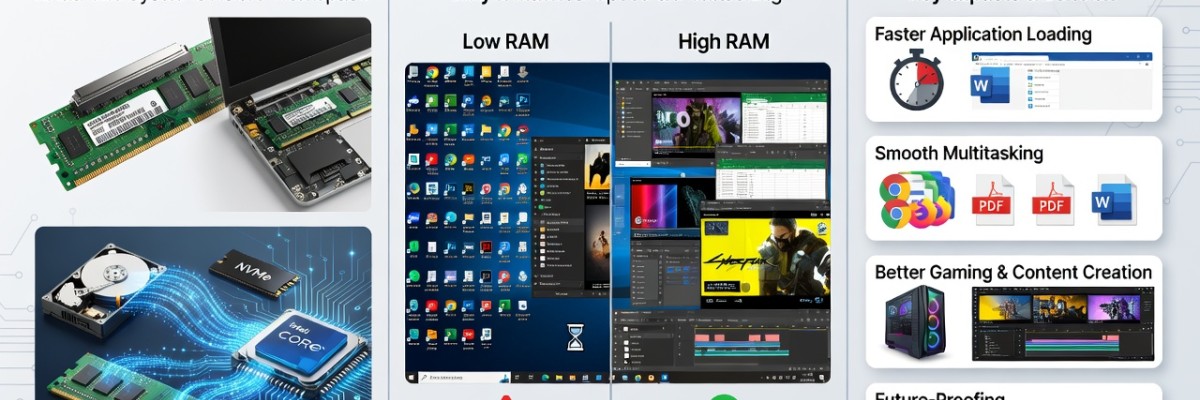
Understanding Computer and Laptop RAM: Why It’s the Secret to a Faster PC
Have you ever noticed your computer slowing down when you have too many Chrome tabs open? Or perhaps your laptop stutters when you’re trying to edit a photo while listening to music? The culprit—or the hero—in these situations is RAM.
Whether you are a gamer in Dhaka looking for the ultimate edge, a freelancer in Chittagong working on heavy software, or a student needing a reliable laptop for studies, understanding RAM is crucial. In this guide, we will break down what RAM is, why it matters, and how to choose the right upgrade from Sell Tech BD.
What is RAM? (The Short-Term Memory Analogy)
RAM stands for Random Access Memory. In the simplest terms, it is your computer’s "short-term memory."
To understand it better, imagine you are working at a desk.
The Desk Surface (RAM): This is where you keep the files you are currently working on. The larger the desk, the more documents you can have open and accessible at once.
The Filing Cabinet (Hard Drive/SSD): This is where you store files you aren't using right now. It’s huge, but it takes time to get up, walk over, and find a file.
When you open a program like Microsoft Word or a game like Valorant, your computer moves the data from the slow storage (SSD/HDD) to the lightning-fast RAM. This allows the processor (CPU) to access that data instantly.
Why Does RAM Matter for Your Performance?
The amount of RAM you have directly impacts how many things your computer can do at once (multitasking). Here is why it matters:
1. Seamless Multitasking
With enough RAM, you can switch between your web browser, Spotify, and a Word document without any lag. If you run out of RAM, your computer has to move data back to the slow hard drive to make room, which causes that "freezing" sensation.
2. Browsing Speed
Modern web browsers like Google Chrome are notorious "RAM hogs." Every tab you open consumes a portion of your RAM. If you are a power user who keeps 20+ tabs open, high-capacity RAM is a necessity.
3. Gaming Performance
For gamers, RAM is vital for loading textures, maps, and character data. While the GPU does the heavy lifting for graphics, the RAM ensures the CPU has the data it needs ready to go. Low RAM leads to "stuttering" and frame drops.
4. Professional Productivity
If you are into video editing, 3D rendering, or graphic design (using tools like Adobe Premiere Pro or Photoshop), RAM is your best friend. These applications load massive files into the memory for real-time editing.
Understanding Different Types of RAM
Not all RAM is created equal. When shopping at Sell Tech BD, you’ll encounter several technical terms. Here’s what they mean:
DDR4 vs. DDR5: What’s the Difference?
DDR4: The current standard for most mid-range and budget builds. it’s reliable, affordable, and plenty fast for most users.
DDR5: The latest generation. It offers significantly higher speeds and better power efficiency. If you are building a high-end gaming PC or a workstation in 2024, DDR5 is the way to go.
Desktop vs. Laptop RAM (DIMM vs. SO-DIMM)
You cannot put desktop RAM into a laptop.
DIMM (Dual In-line Memory Module): Long sticks used for desktop motherboards.
SO-DIMM (Small Outline DIMM): Shorter, more compact sticks designed for laptops and mini-PCs.
How Much RAM Do You Actually Need?
One of the most common questions we get at Sell Tech BD is: "How many GBs should I buy?" Here is a quick breakdown:
8GB RAM: This is the bare minimum for a Windows 10 or 11 computer in 2024. It’s suitable for students, office work, and light web browsing.
16GB RAM: The Sweet Spot. This is recommended for most users. It handles heavy multitasking, modern gaming, and entry-level content creation with ease.
32GB RAM: Ideal for professionals. If you are a video editor, a software developer running virtual machines, or a hardcore gamer who streams on Twitch, 32GB ensures you never hit a bottleneck.
64GB+ RAM: Only necessary for specialized workstations, 4K/8K video production, or massive data processing.
Clock Speed and Latency: Why MHz Matters
Capacity (GB) isn't the only factor; speed matters too. RAM speed is measured in MHz (Megahertz).
A 3200MHz DDR4 stick is faster than a 2400MHz stick.
Faster RAM allows the CPU to communicate with the memory more quickly, resulting in snappier performance.
Pro Tip: Always check if your motherboard supports the speed of the RAM you are buying!
Signs You Need a RAM Upgrade
Is your computer trying to tell you it needs more memory? Look for these symptoms:
The "Out of Memory" Error: Your browser or apps crash with a warning.
Delayed Typing: You type a sentence, and the text appears on the screen two seconds later.
The Spinning Wheel: Constant loading icons when switching between apps.
System Freezes: Your computer becomes unresponsive during intensive tasks.
The good news? Upgrading RAM is the most cost-effective way to breathe new life into an old laptop or PC.
Why Buy RAM from Sell Tech BD?
At Sell Tech BD, we understand the local market needs in Bangladesh. Whether you are looking for budget-friendly options or high-performance RGB gaming RAM, we’ve got you covered.
1. Genuine Products
We stock top-tier brands like Corsair, G.Skill, Kingston, TeamGroup, and Adata. You get 100% authentic products with official warranties.
2. Expert Advice
Not sure if your laptop has an extra RAM slot? Our technical team can help you identify exactly what you need so you don't waste money on incompatible parts.
3. Competitive Pricing
We offer some of the best prices for RAM in Bangladesh, ensuring you get the best value for your Taka.
4. Installation Services
If you’re uncomfortable opening your laptop or PC, our experts can handle the installation for you, ensuring your system is optimized and ready to fly.
Don’t Let Memory Hold You Back
RAM is the unsung hero of your computer’s hardware. It’s the difference between a frustratingly slow experience and a lightning-fast workflow. Whether you are looking to upgrade your existing laptop or building a new gaming rig from scratch, choosing the right RAM is a decision that pays off every time you hit the power button.